> ## Documentation Index
> Fetch the complete documentation index at: https://docs.zionapp.co/llms.txt
> Use this file to discover all available pages before exploring further.
# Attendance reports
> Generate, export, and share attendance reports, and read the automated weekly attendance email
Attendance reports summarize marked attendance over a period you choose, with counts, rates, and optional Goal Check correlation. Administrators generate them from **Attendance, then Reports**.
Supervisors have a dashboard, alerts, and trends view for their assigned centres, but no dedicated reports page was found for that role.
## Report types
| Type | Scope |
| ------- | ------------------------------ |
| Daily | A single date |
| Weekly | A selected week |
| Monthly | A calendar month |
| Term | A full academic term |
| Custom | Any start and end date you set |
All centre or a specific centre is a scoped choice at generation time. Administrators can select a single centre or all centres; supervisors, where they have access to reporting, are limited to their assigned centres.
## Generating a report
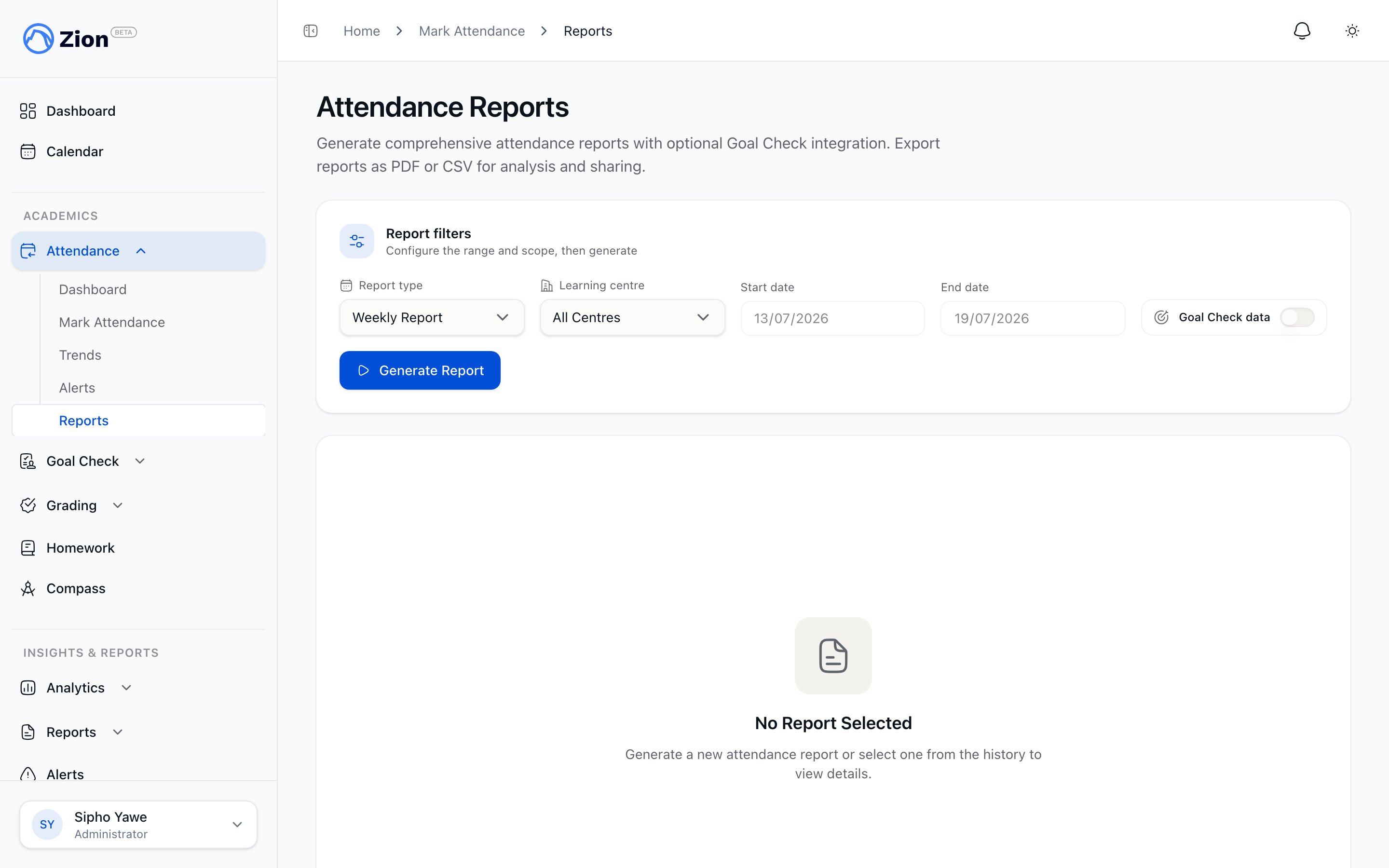
Go to **Attendance, then Reports**.
Pick Daily, Weekly, Monthly, Term, or Custom.
For Daily, pick a date. For Weekly, pick a week. For Monthly, pick a month. For Term, pick the academic term. For Custom, set a start and end date.
Select a specific learning centre or all centres.
Toggle on Goal Check correlation if you want attendance compared against Goal Check progress for the same period.
Click Generate Report to build the report.
 ## What a report contains
* Total students, present count, absent count, late count
* Overall attendance rate for the period
* Centre breakdown, when the report covers more than one centre
* A chronic-absence student list for the period
* A late-arrival list
* Day-of-week statistics
The PDF version carries your school's own branding and draws a present, absent, and late breakdown and a per-centre comparison as charts directly in the document, rather than listing numbers alone.
Chronic-absence status in a report reflects the thresholds set for [attendance alerts](/features/attendance/alerts). See that page for how consecutive absences and the 30-day absence rate are calculated.
## Goal Check correlation
When you turn on Goal Check correlation, the generated report includes Goal Check data alongside attendance figures for the same period, letting you compare the two data sets for the students and centres in scope. See [Goal Check reports](/features/goal-check/reports) for what Goal Check data covers on its own.
## Exporting and sharing
A generated report can be exported as PDF or CSV. Generated reports are stored and appear in report history with links back to their PDF and CSV files, so you can return to a previous report without regenerating it. A report can also be shared by email directly from the report.
## Weekly attendance email
Separate from reports you generate manually, Zion builds and emails a weekly attendance report automatically, once a week, without an administrator needing to open the Reports page.
## Related pages
How attendance marking, alerts, and reporting fit together
The daily Present, Absent, Late marking workflow
How consecutive-absence and rate thresholds generate alerts
Trend charts and centre comparisons over time
## What a report contains
* Total students, present count, absent count, late count
* Overall attendance rate for the period
* Centre breakdown, when the report covers more than one centre
* A chronic-absence student list for the period
* A late-arrival list
* Day-of-week statistics
The PDF version carries your school's own branding and draws a present, absent, and late breakdown and a per-centre comparison as charts directly in the document, rather than listing numbers alone.
Chronic-absence status in a report reflects the thresholds set for [attendance alerts](/features/attendance/alerts). See that page for how consecutive absences and the 30-day absence rate are calculated.
## Goal Check correlation
When you turn on Goal Check correlation, the generated report includes Goal Check data alongside attendance figures for the same period, letting you compare the two data sets for the students and centres in scope. See [Goal Check reports](/features/goal-check/reports) for what Goal Check data covers on its own.
## Exporting and sharing
A generated report can be exported as PDF or CSV. Generated reports are stored and appear in report history with links back to their PDF and CSV files, so you can return to a previous report without regenerating it. A report can also be shared by email directly from the report.
## Weekly attendance email
Separate from reports you generate manually, Zion builds and emails a weekly attendance report automatically, once a week, without an administrator needing to open the Reports page.
## Related pages
How attendance marking, alerts, and reporting fit together
The daily Present, Absent, Late marking workflow
How consecutive-absence and rate thresholds generate alerts
Trend charts and centre comparisons over time