> ## Documentation Index
> Fetch the complete documentation index at: https://docs.zionapp.co/llms.txt
> Use this file to discover all available pages before exploring further.
# Goal Check overview
> How Zion tracks daily PACE page goals from morning entry to end-of-day marking
Goal Check is Zion's implementation of the ACE daily goal system. Each morning, staff set a page goal for every PACE (ACE curriculum unit) a student is working on. At the end of the day, staff mark what the student actually completed. Every goal and result is stored in the same record, so a student's morning goal and evening outcome always tie back to one entry.
Administrators, supervisors, and monitors can set goals and mark progress. Which learning centres a supervisor or monitor sees depends on their centre assignment; administrators see every centre.
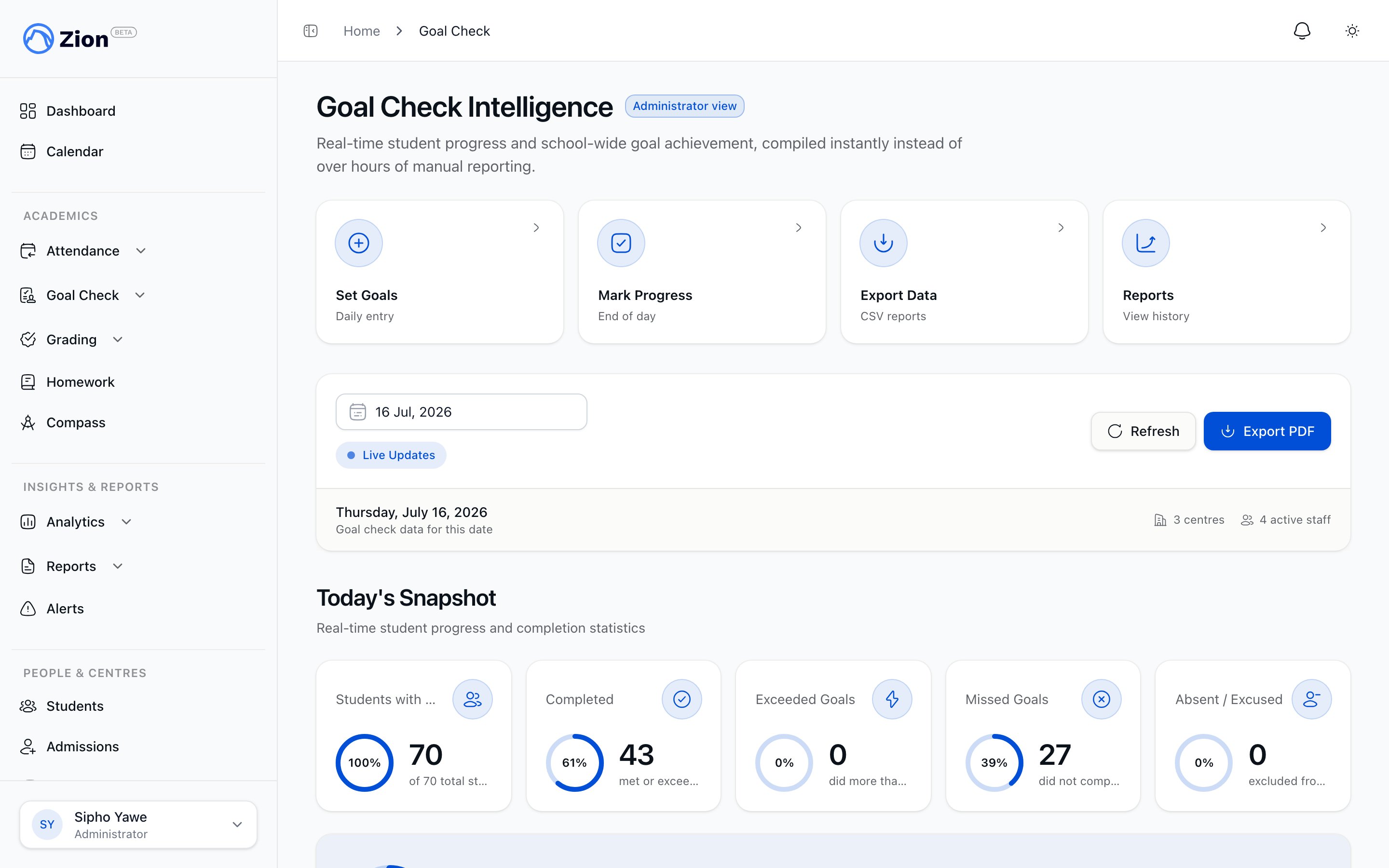 ## Two ways to run Goal Check
Both paths write to the same underlying data. Pick whichever fits how your day runs.
Use the dedicated Goal Check pages when you want to work through goals or results outside a guided flow, one student and PACE at a time.
* **Set Goals** enters the morning page goal for each active PACE. See [Setting goals](/features/goal-check/setting-goals).
* **Mark Progress** records what a student actually completed against that morning goal. See [Marking progress](/features/goal-check/marking-progress).
This is a full-screen, one-student-at-a-time flow that walks a supervisor or monitor through an entire learning centre in a single session, morning or evening. It does not create a separate data store. It reads and writes the same goal-entry and progress-marking data as the standalone screens.
Start or resume a session from the "Today's Routine" card on the dashboard. See [The daily routine](/features/goal-check/rituals) for the full walkthrough, including resuming an interrupted session, skipping students, and optional supervisor or administrator sign-off on morning goals.
## Recording a day that wasn't a normal PACE day
Not every day fits a page goal. A student can be marked Absent or Excused, or as present but doing non-PACE work, such as a review, an essay, a science project, or another activity manual. When staff choose non-PACE work, they also pick an activity type so the record shows what the student actually did that day.
None of these three outcomes count as a missed goal, and none of them pull down a student's completion rate or feed into Goal Check's pattern insights. They are an honest record of a day that could not be measured against a page goal, not a mark against the student. See [Marking progress](/features/goal-check/marking-progress) for how to record one.
## Completion outcomes
When a student's actual pages are recorded against their morning goal, the result lands in one of three outcomes:
| Outcome | Meaning |
| ------- | ------------------------------------------------------------------ |
| Hit | The student completed the goal. |
| Missed | The student fell short of the goal. |
| Partial | The student made progress toward the goal but did not complete it. |
Alongside the outcome, Zion records variance: the difference between the pages goaled and the pages actually completed. Variance can be positive (more pages than goaled), zero (goal met exactly), or negative (fewer pages than goaled).
## Why it matters
A written record of what was goaled versus what was actually done gives supervisors and administrators a consistent basis for spotting students who are falling behind and for judging whether goals are set at the right level for a student, rather than relying on memory or paper notes at the end of the day.
Enter morning page goals per student and PACE
Record actual pages completed at end of day
Run the guided Morning Routine and End of Day session for a whole centre
Daily and weekly Goal Check reports
## Two ways to run Goal Check
Both paths write to the same underlying data. Pick whichever fits how your day runs.
Use the dedicated Goal Check pages when you want to work through goals or results outside a guided flow, one student and PACE at a time.
* **Set Goals** enters the morning page goal for each active PACE. See [Setting goals](/features/goal-check/setting-goals).
* **Mark Progress** records what a student actually completed against that morning goal. See [Marking progress](/features/goal-check/marking-progress).
This is a full-screen, one-student-at-a-time flow that walks a supervisor or monitor through an entire learning centre in a single session, morning or evening. It does not create a separate data store. It reads and writes the same goal-entry and progress-marking data as the standalone screens.
Start or resume a session from the "Today's Routine" card on the dashboard. See [The daily routine](/features/goal-check/rituals) for the full walkthrough, including resuming an interrupted session, skipping students, and optional supervisor or administrator sign-off on morning goals.
## Recording a day that wasn't a normal PACE day
Not every day fits a page goal. A student can be marked Absent or Excused, or as present but doing non-PACE work, such as a review, an essay, a science project, or another activity manual. When staff choose non-PACE work, they also pick an activity type so the record shows what the student actually did that day.
None of these three outcomes count as a missed goal, and none of them pull down a student's completion rate or feed into Goal Check's pattern insights. They are an honest record of a day that could not be measured against a page goal, not a mark against the student. See [Marking progress](/features/goal-check/marking-progress) for how to record one.
## Completion outcomes
When a student's actual pages are recorded against their morning goal, the result lands in one of three outcomes:
| Outcome | Meaning |
| ------- | ------------------------------------------------------------------ |
| Hit | The student completed the goal. |
| Missed | The student fell short of the goal. |
| Partial | The student made progress toward the goal but did not complete it. |
Alongside the outcome, Zion records variance: the difference between the pages goaled and the pages actually completed. Variance can be positive (more pages than goaled), zero (goal met exactly), or negative (fewer pages than goaled).
## Why it matters
A written record of what was goaled versus what was actually done gives supervisors and administrators a consistent basis for spotting students who are falling behind and for judging whether goals are set at the right level for a student, rather than relying on memory or paper notes at the end of the day.
Enter morning page goals per student and PACE
Record actual pages completed at end of day
Run the guided Morning Routine and End of Day session for a whole centre
Daily and weekly Goal Check reports