

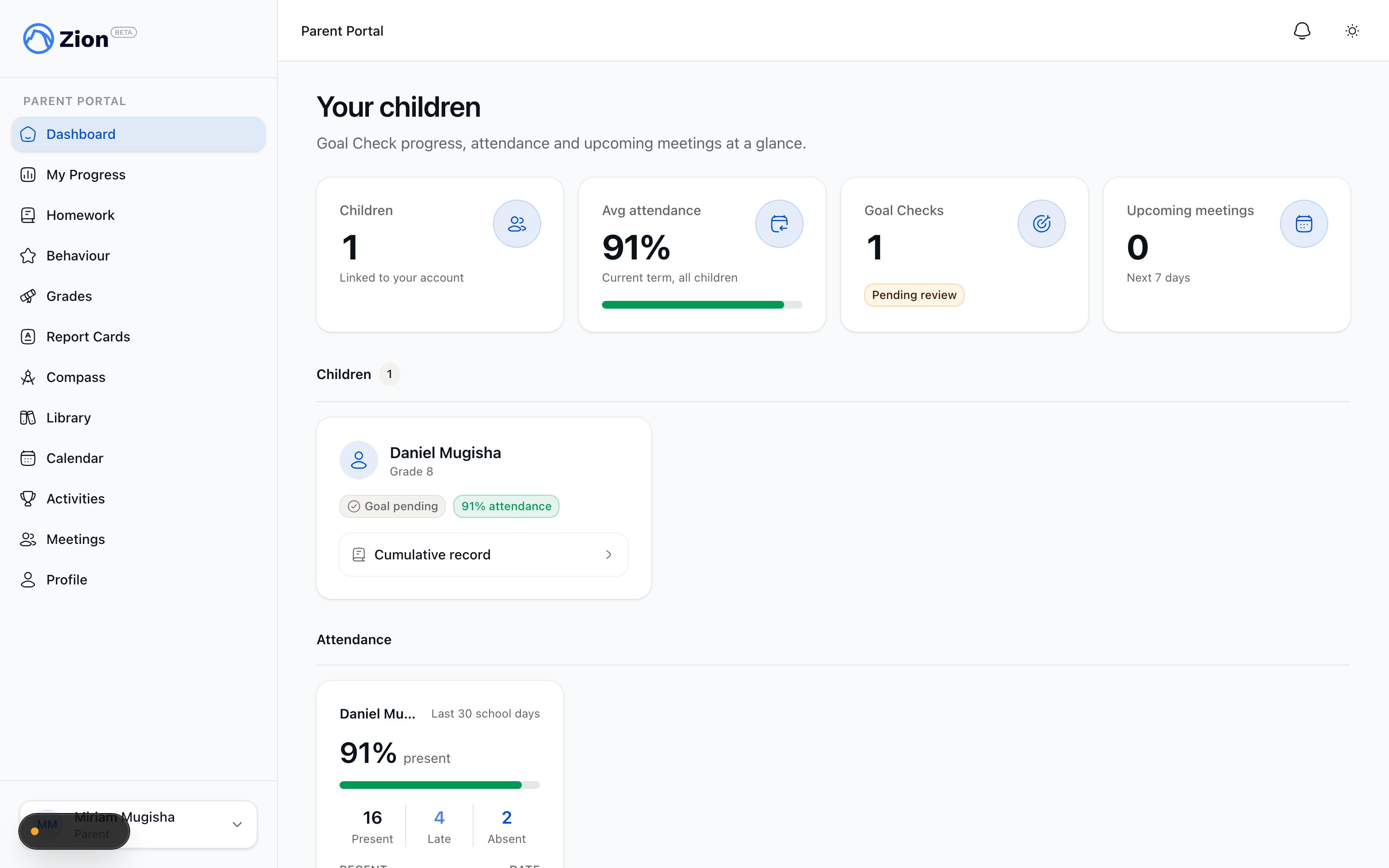
The parent portal dashboard with one card per linked child.
Who can use it
Only parent accounts can open the parent portal, and a parent only ever sees the children they have an accepted invitation for. There is no separate sign-in screen for parents: it is the same Zion sign-in, with your account type determining what you see.Access to a child’s records comes from an accepted parent invitation, not from an email address matching a student record. A pending or rejected invitation grants no access. If a child is missing from your dashboard, ask the school to check the invitation status.
Getting linked to a child
Invitations are manual, and staff always send them on purpose. Adding your email address to a student’s record does not invite you by itself. A staff member has to take a separate, explicit step to send the invitation.1
Staff add your email to your child's record
An administrator or supervisor puts your email address on your child’s record. At this point nothing has been sent to you yet.
2
Staff send the invitation
A staff member clicks Invite Parent on your child’s record. This is what actually sends you an invitation to join the portal.
3
You accept it
You accept the invitation, and from that point your account is linked to that child.
Revoking and removing access
- A pending invitation
- An accepted parent
If you have not accepted an invitation yet, a staff member can revoke it. Once revoked, the invitation can no longer be accepted.
What you can see per child
Dashboard
One card per linked child: latest Goal Check status, current-term attendance percentage, and a banner if a meeting is booked in the next 7 days. Attendance badges use success at 90% or higher, warning between 75 and 89%, and error below 75%.
Progress
A read-only 30-day goal trend and termly-goal trajectory per child, with a switcher if you have more than one child linked.
Homework
Homework across all your children, filterable by All, Pending, Done, or Missed. You can mark a pending assignment done and add a short family note.
Behaviour
A net merit and demerit balance per child and a timeline of behaviour records. Only public notes are shown; staff-only private notes are never sent to the parent view.
Grades
Per-PACE scores by subject, with a pass or fail badge, a retest indicator, and a parent-safe moderation status such as Finalized, Awaiting moderation, or Flagged. Internal moderator names and notes are not exposed.
Report cards
An archive of published term report cards per child, newest term first, with an on-demand download link. Report cards that have not been published yet do not appear.
Curriculum Compass
A read-only map of the curriculum journey across subjects for your children.
Library
Borrowed books per child, current and past, with due dates and status such as out, overdue, lost, or returned.
Calendar
A month view of school events relevant to your children, with a per-child filter and a subscription link to sync events to Google, Apple, or Outlook calendars. You cannot create or edit events from this view.
Activities
The school’s extracurricular activity catalog, where you can browse activities and express interest for your child.
Meetings
Book a meeting with a child’s supervisor, respond to staff-initiated requests, and view upcoming and past meetings. Meeting details show only the parent-facing summary, not private staff notes.
Notifications
Your full in-app notification history, plus a notification bell in the header and a preferences page for opting out of specific channels.
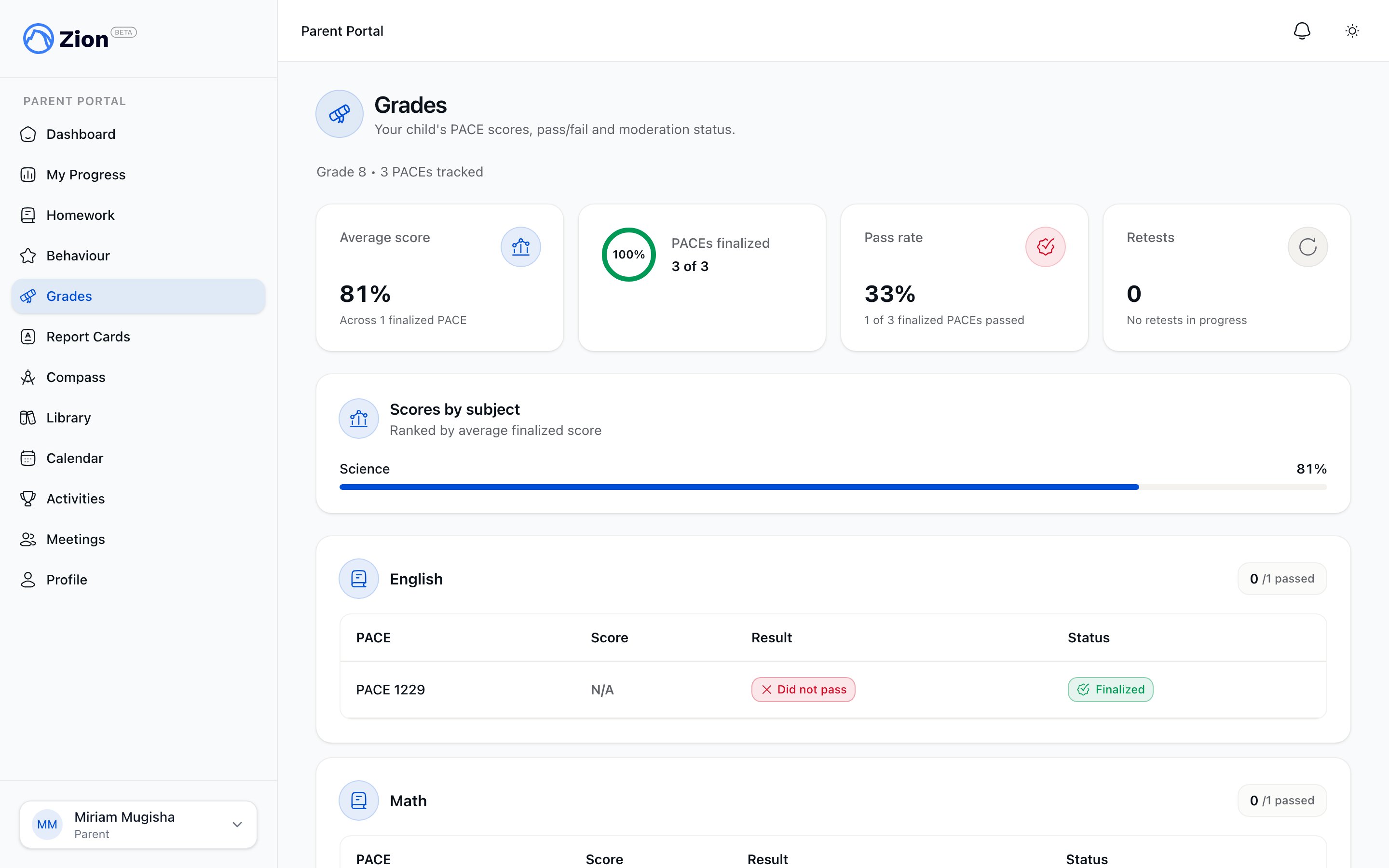
A child's grades view showing per-PACE scores by subject with moderation status.
Each child also has a cumulative record showing percentage, PACEs completed, and attendance by year and subject. It does not include credits, GPA, ranking, or transcripts, which are administrator-only.
Guides
Getting started
Accept your invitation, sign in, and find your way around the dashboard.
Your child's progress
Where to find Goal Check status, attendance, homework, grades, and report cards for each child.
Meetings and communication
How to book a meeting, respond to staff requests, and manage notifications.
Roles and permissions
See how the parent role compares to other roles in Zion.