

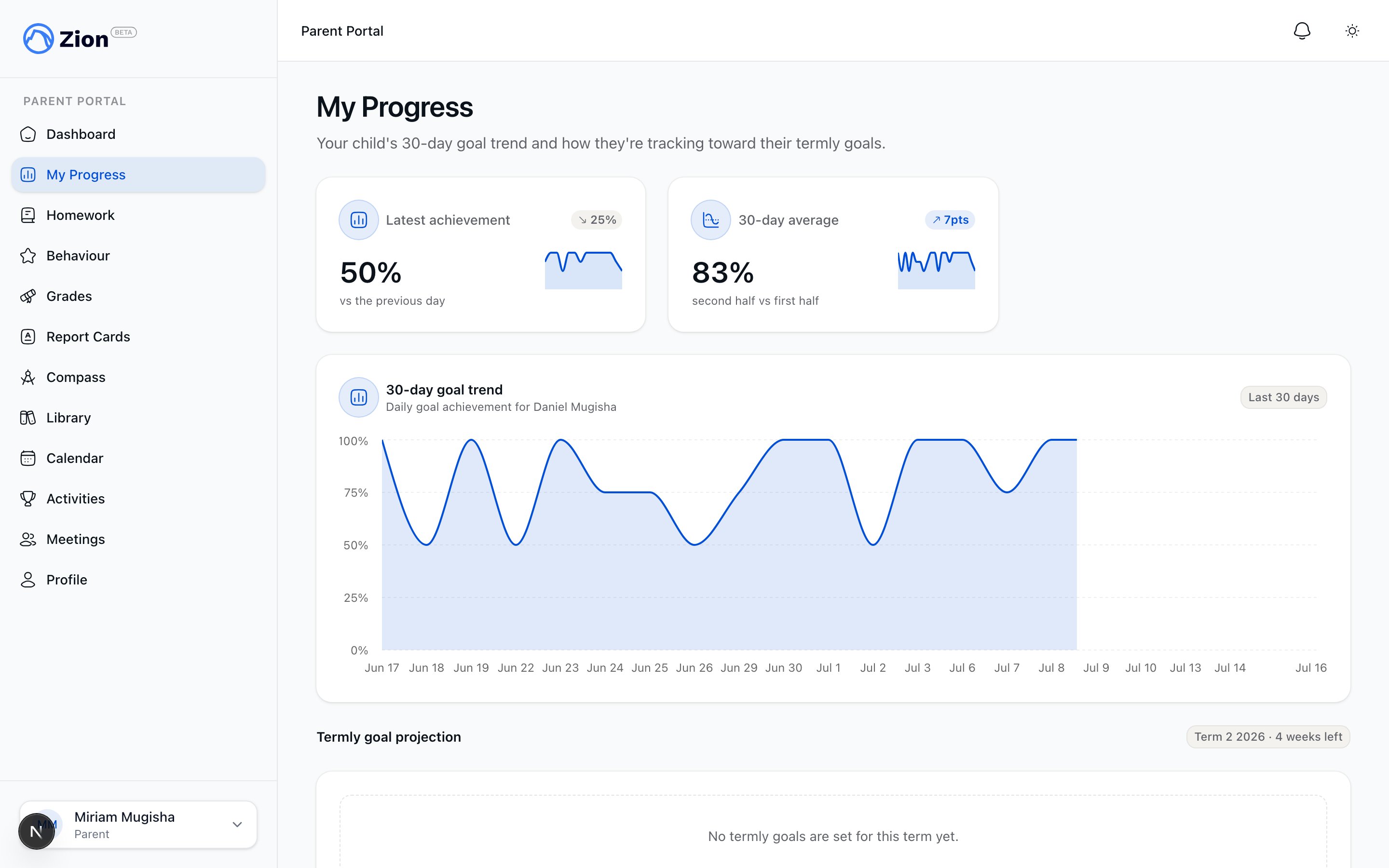
A child's progress view showing goal trend and termly trajectory
If you have more than one child linked to your account, most of these pages let you switch between children. Pages only ever show data for children you have an accepted invitation for.
My Progress
At My Progress you see a 30-day goal trend and a termly-goal trajectory for each linked child, calculated with the same projection math the school’s staff dashboard uses. The trajectory classifies your child’s pace toward their term PACE-count goal as one of three states.
This page has no edit controls. If you have questions about a projection, raise it at a parent-teacher meeting or with the school directly.
Grades
The Grades page lists your child’s scores by subject, one row per PACE. A score in progress shows as N/A rather than 0%, so an unfinished PACE never reads as a failing grade. Each row also carries a pass/fail badge and a retest indicator when a PACE has been retested. Moderation on a score is summarized into one of six parent-safe statuses:
You do not see who is moderating a score, their internal notes, or which review stage it is in. Those details stay internal to staff.
Behaviour
The Behaviour page shows a net balance card for your child (merit and demerit counts and points, plus incident counts) and a timeline of records, newest first. Only public notes appear on the timeline. Any private note a staff member attaches to a behaviour record is never sent to your account, so it will not appear here under any circumstance.Homework status
The Homework page lists your child’s assignments with status filters for All, Pending, Done, and Missed. An assignment counts as Done whether you marked it done at home or a teacher verified it, and a due-today count is shown per child. From this page you (or your child, if they hold the account) can mark a pending assignment as done and attach a short note. Marking an assignment done is the one write action available on this page; everything else here is a status view.Report Cards
The Report Cards page lists only report cards the school has published, grouped by child with the most recent term first. Report cards still in progress or awaiting distribution do not appear. Click Download on a card to generate a time-limited link and retrieve the PDF. Each report card comes out as one clean, consistent PDF with charts built into the document, not a plain table.Permanent record
Each child’s card on your dashboard has a Cumulative record link. Open it for that child’s whole academic history, per year and per subject: percentage, PACEs completed, and attendance for that year. The record intentionally does not show credits, GPA, class rank, or honor roll, and it is not a transcript. If you need an official transcript, that has to be requested from the school administrator.Curriculum Compass
The Curriculum Compass is a pan-and-zoom map of your child’s curriculum journey across their subjects. It is read-only and gives you a visual sense of where your child sits in their overall course of study.Can I see a teacher's or supervisor's private notes about my child?
Can I see a teacher's or supervisor's private notes about my child?
No. Private notes on behaviour records, meeting notes, and grading moderation are structurally excluded from every parent-facing view. Only public notes and parent-safe summaries reach your account.
Why does a grade show N/A instead of a percentage?
Why does a grade show N/A instead of a percentage?
A PACE in progress has not produced a finalized score yet, so it displays N/A rather than a misleading 0%.
Can I download or request a transcript?
Can I download or request a transcript?
Not from the parent portal. Official transcripts are generated by an administrator on request.
What happens if I click a report card link that has expired?
What happens if I click a report card link that has expired?
Go back to the Report Cards page and click Download again to generate a fresh link.
Getting Started as a Parent
Link your first child and find your way around the parent portal.
Meetings and Communication
Book meetings with your child’s supervisor and manage notifications.
Report Cards Overview
How report cards are compiled and distributed by the school.
Permanent Record
What the multi-year permanent record contains and how it is maintained.