

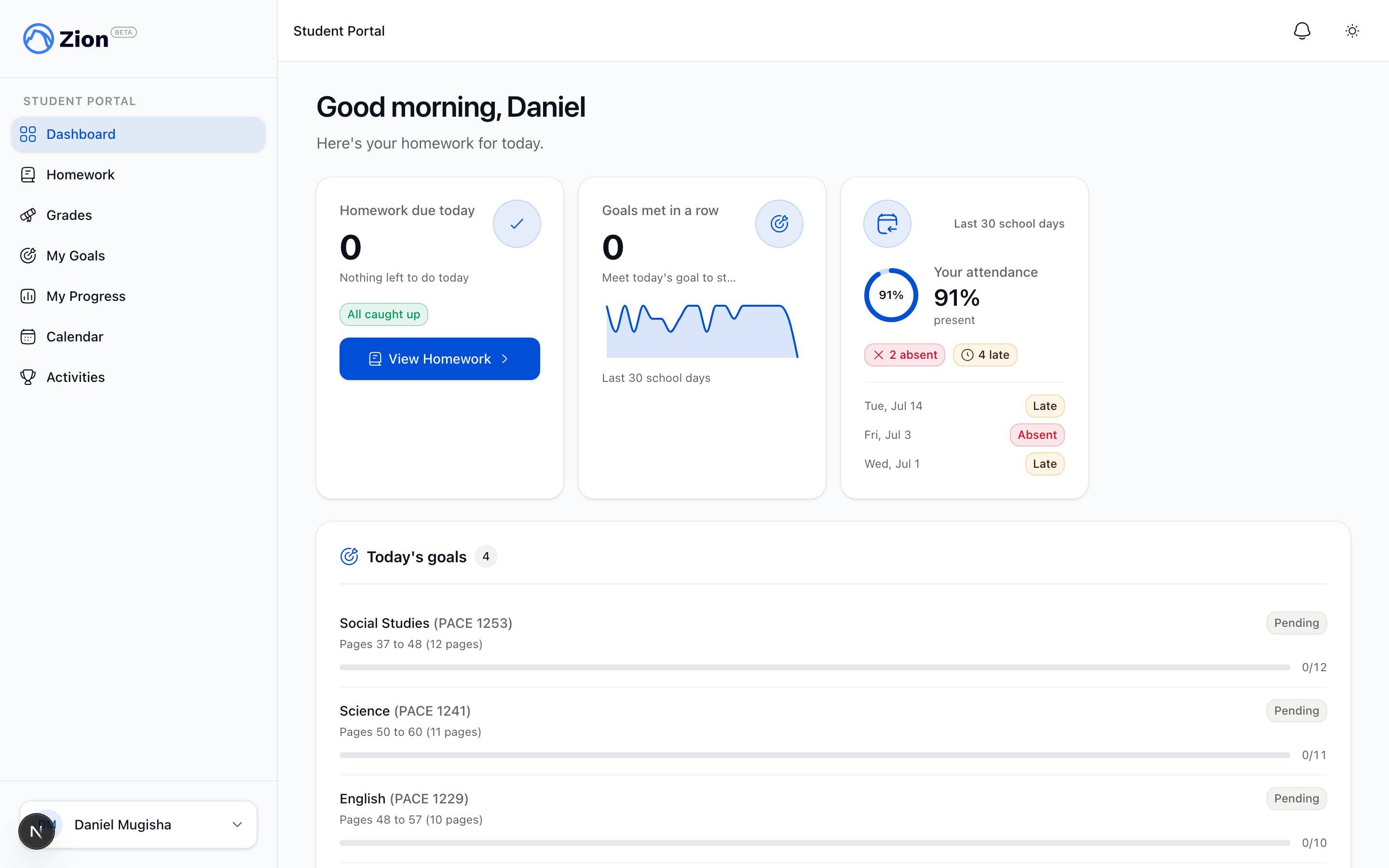
The student dashboard with today's PACE goals and a 30-day attendance widget.
Only student accounts can open the student portal. Every other role is redirected away from it, and a student only ever sees their own record, never another student’s.
What the portal offers
Dashboard
A personalized greeting, a count of homework due today (or “All caught up!” when there is none), today’s PACE goals with status pills, and a 30-day attendance widget.
Homework
Today, Upcoming, and Done tabs. One-tap Mark Done on a pending item, an Overdue badge on the Today tab, and a Done history capped at the most recent 30 items.
My Goals
Today’s PACE goals plus a 30-day history collapsed to one status per day, and a current met streak.
My Grades
Finalized PACE scores only. In-flight PACEs show a parent-safe status instead of a number, and no moderator identities or notes are exposed.
My Progress
A 30-day goal-achievement trend chart plus per-subject termly projections with an on-track, at-risk, or off-track badge.
Attendance
The student’s own last-30-school-day attendance, shown on the dashboard.
Calendar
A read-only agenda of the student’s own centre plus school-wide events, with a Subscribe link for a private calendar feed.
Activities
Browse the extracurricular catalog for the student’s own centre and school-wide activities, and express interest in one.
Profile
Your name and email, managed by your school, plus your notification preferences.
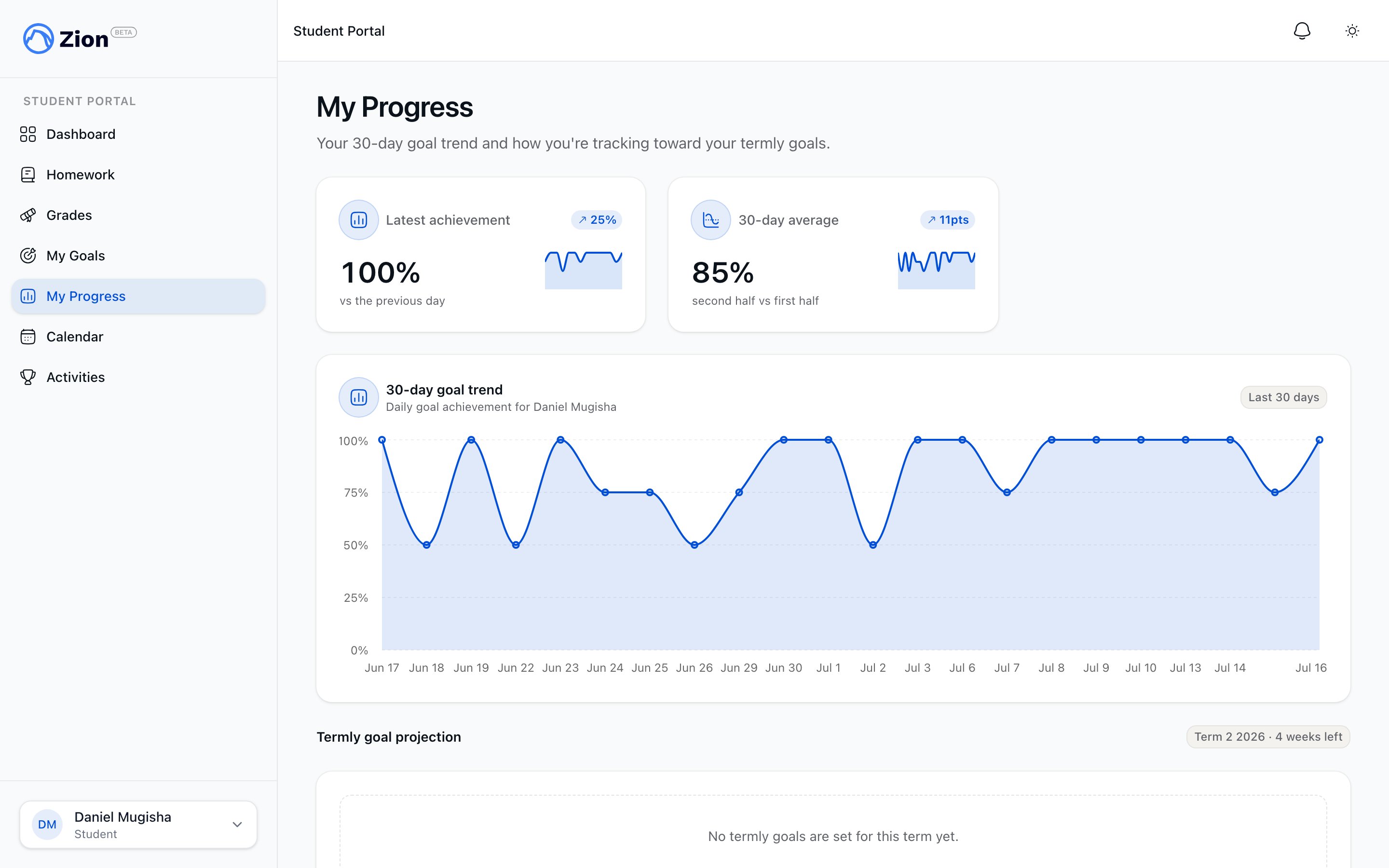
The My Progress view with a 30-day goal-achievement trend and termly projections.
Notifications are reached from the header bell’s “See all” link rather than a main sidebar item, and open your full in-app notification history.
Homework: Today, Upcoming, Done
1
Land on the dashboard
A student who signs in lands on their dashboard. Any other role is sent to the staff dashboard instead.
2
Open homework
The dashboard card shows how many homework items are due today, with a “View Homework” button. The Today tab is the default.
3
Mark a page done
Clicking Mark Done on a homework item updates it right away. It moves to a read-only chip and reappears under the Done tab, which keeps the most recent 30 items.
Goals and grades
Today’s goals show a subject, PACE number, page range, and a status pill: Met, Keep trying, Absent, Excused, No attempt, or Pending. A “View goal history” link shows the current met streak and a 30-day history with one status per day (met, missed, non-attempt, pending). My Grades shows a PACE score only once it is finalized. A finalized PACE that was failed on every attempt shows N/A rather than 0%. A PACE still moving through moderation shows a status label instead: Awaiting moderation, Under external review, Returned for re-entry, Under review, or Pending. Readiness checks (self-tests) are excluded from graded results.Progress
My Progress shows a 30-day goal-achievement-rate line chart and, per subject, a termly PACE projection card: PACEs completed against the term target, a status badge (on track, at risk, off track), and the student’s current weekly pace against the required weekly pace. The view is read-only, with no comparison to other students or centres, and an empty state reads “No progress data yet” rather than showing an error.Calendar
The student calendar lists events for the student’s own learning centre plus school-wide events, filtered to student-visible items only. Admin, staff, and parent-only events are excluded. Each entry shows a title, formatted date or time, and an event-type badge, with no edit or delete controls. The Subscribe link generates a private calendar feed for the student’s own visibility and centre, for syncing with an outside calendar app.Activities
The Activities page shows the same activity catalog staff use, narrowed to school-wide activities plus the student’s own centre, with admin controls hidden and an option to express interest. Opening an activity from the catalog goes to its detail view; an activity from a different centre shows as not found.Profile
Students have their own profile page. It shows your name and email as read-only, since these are managed by your school, plus your notification preferences: which categories you receive and on which channels.Student guide: getting started
A step-by-step walkthrough for students using the portal.
Parent portal overview
The equivalent read-only view for a parent, covering the same domains.
Homework overview
How homework is assigned and verified on the staff side.
Roles and permissions reference
The full list of roles and what each can access.