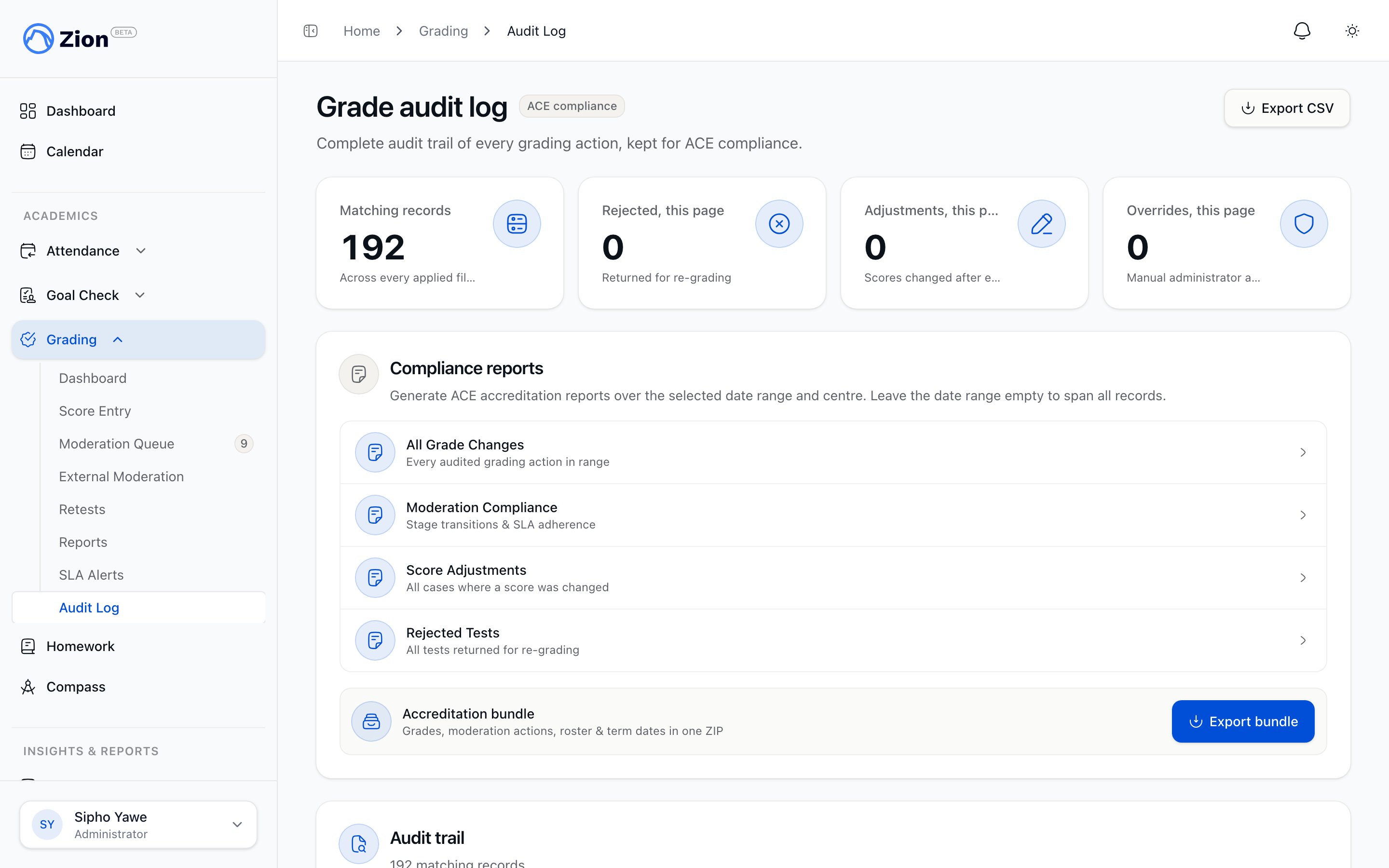
Grading Audit Trail
Zion maintains a complete audit trail of all grading activities to support ACE curriculum compliance requirements. Every score entry, modification, and moderation action is logged with full context.Why Audit Trails Matter
ACE Compliance
ACE (Accelerated Christian Education) schools must maintain accurate records of student progress. The audit trail provides:- Proof of grading accuracy
- Evidence of oversight processes
- Documentation of corrections
- Historical record for inspections
Accountability
The audit trail ensures:- All actions are traceable to individuals
- Changes are documented with reasons
- Historical data is preserved
- Questions can be investigated
What Gets Logged
Score Entry Events
When a supervisor enters a test score:| Field | Recorded Value |
|---|---|
| Action Type | score_entered |
| Student | Student ID and name |
| PACE | PACE ID and name |
| Score | Value entered (0-100) |
| Test Type | PACE Test / Self Test / Final Test |
| Pass Threshold | Applied threshold |
| Entered By | User ID and name |
| Role | Role at time of action |
| Timestamp | Exact date/time |
Moderation Events
When an administrator moderates a score: Approval:- Action:
moderation_approved - Moderator ID and name
- Timestamp
- Notes (if provided)
- Action:
score_adjusted - Previous value (original score)
- New value (adjusted score)
- Adjustment reason (mandatory)
- Moderator ID and name
- Timestamp
- Action:
moderation_rejected - Rejection reason (mandatory)
- Moderator ID and name
- Timestamp
Retest Events
Retest Scheduled:- Action:
retest_scheduled - Original test reference
- Scheduled date
- Scheduled by user
- Action:
retest_completed - Attempt number
- New score
- Link to original attempt
- Action:
retest_cancelled - Cancellation reason
- Cancelled by user
Administrative Events
Pass Threshold Changed:- Action:
threshold_changed - Previous thresholds
- New thresholds
- Changed by user
- Reason for change
- Action:
stage_transition - From stage
- To stage
- Triggered by action
Viewing Audit History
For a Specific Test
- Navigate to the test score record
- Click View Audit History
- See chronological list of all actions
For a Student
- Navigate to student profile
- Click Grade History tab
- Click Audit Trail button
- See all grading actions for this student
Organization-Wide
Administrators can view all audit logs:- Navigate to Grading → Audit
- See searchable list of all actions
- Filter by date range, action type, user
Audit Entry Details
Each audit entry includes:Header Information
- Action Type: What happened
- Timestamp: When it happened
- Performed By: Who did it
Context Information
- Student: Which student affected
- PACE: Which PACE involved
- Test Score ID: Link to score record
Change Information
- Previous Value: State before change (JSON)
- New Value: State after change (JSON)
- Reason: Why change was made (when applicable)
Metadata
- User Role: Role at time of action
- IP Address: Origin of request (if tracked)
- User Agent: Browser/device info (if tracked)
Using Audit Data
Investigating Issues
When questions arise about a grade:1
Locate the Test Score
Find the specific test in question
2
View Audit History
Open the audit trail for that score
3
Trace the Timeline
Follow actions from entry to current state
4
Identify Discrepancies
Note any unexpected changes
5
Contact Involved Parties
Reach out to users who made changes
Compliance Audits
When preparing for ACE inspections:- Generate audit reports for review period
- Export to PDF/CSV for documentation
- Highlight moderation compliance
- Show correction processes
Pattern Analysis
Use audit data to identify:- Supervisors with high error rates
- Subjects requiring frequent adjustments
- Moderation bottlenecks
- Retest patterns
Audit Trail Integrity
Immutable Records
Audit logs cannot be:- Deleted
- Modified
- Backdated
Retention
Audit records are retained:- For the current academic year (immediate access)
- For 7 years (archive access)
- Permanently for compliance (cold storage)
Access Controls
Audit viewing requires:- Administrator role
- Authentication
- All access is itself logged
Export Options
CSV Export
Export audit data to spreadsheet:- Navigate to audit view
- Set filters (date range, type, user)
- Click Export CSV
- Download file
- Timestamp
- Action type
- User name
- Student name
- PACE
- Previous value
- New value
- Reason
PDF Report
Generate formatted report:- Set filters as needed
- Click Export PDF
- Download formatted report
- Summary statistics
- Action timeline
- User activity summary
- Change details
Best Practices
Regular Review
- Review audit logs weekly for anomalies
- Check for unusual patterns
- Verify moderation compliance
Documentation
- When adjusting scores, provide clear reasons
- Document conversation outcomes in notes
- Reference original test when possible
Training
- Train supervisors on accurate entry
- Explain audit implications
- Emphasize first-time accuracy
Common Audit Scenarios
Score Discrepancy Reported
Scenario: Parent claims grade was entered incorrectly Investigation:- Pull audit trail for specific test
- Trace from entry through any modifications
- Compare original entry to current value
- Identify who made changes and why
- Present findings to parent
High Adjustment Rate
Scenario: Many scores being adjusted during moderation Investigation:- Query adjustments by supervisor
- Identify patterns (specific supervisors, subjects)
- Review original vs adjusted values
- Retrain supervisors if needed
- Consider process improvements
Compliance Audit
Scenario: ACE inspector requests grading records Response:- Generate audit report for requested period
- Export in requested format
- Prepare summary of moderation statistics
- Document SLA compliance rates
- Provide contact for questions
Troubleshooting
Cannot Find Audit Entry
Possible Causes:- Looking at wrong test
- Date filters too narrow
- Action not yet synced
- Verify correct test selected
- Expand date range
- Wait for sync and refresh
Audit Shows Unexpected Change
Process:- Note the timestamp and user
- Check if legitimate moderation action
- Contact user if unclear
- Document findings
- Escalate if suspicious activity