

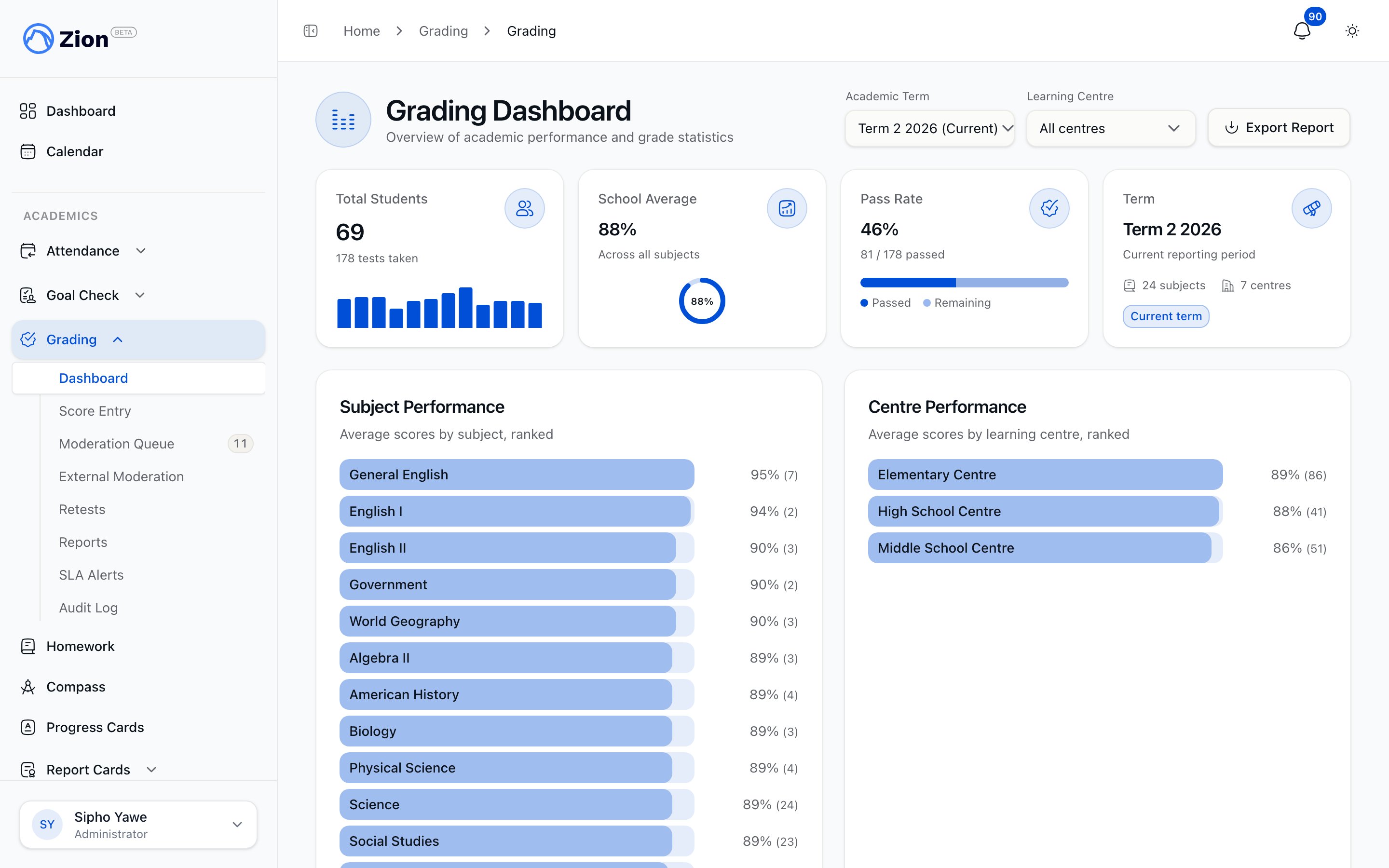
The grading overview showing score entry and the moderation pipeline.
Self tests vs graded tests
A PACE test is entered as one of three types, and the type decides how the score is treated.Self Tests exist so students can check their own readiness before the graded attempt. They are never moderated and never count toward a student’s average or PACE progress.
Scores accept decimals
A score can be entered to one decimal place, for example 87.5, not just a whole number. This applies everywhere a score is entered: single entry, batch entry, prior PACE entry, and the moderator marks described below. Every score is between 0 and 100.Entering a test score
Administrators, supervisors, and monitors enter scores from Grading, then Score Entry, using single entry, batch entry, or the Prior PACE tab. Single and batch entry require the student, the PACE, the test type, a score, and a test date of today or earlier. Zion rejects a duplicate entry for the same student, PACE, test type, and attempt number. As soon as a score is submitted, Zion:- Looks up the student’s grade level and learning centre.
- Applies the school’s pass threshold to determine pass or fail.
- Finalizes the score immediately, or sends it for moderation, based on test type and grade level.
Grade-based routing to moderation
Self Tests always finalize immediately and skip moderation entirely. For graded tests (PACE Test and Final Test), what happens next depends on the student’s grade level against the school’s moderation grade:- Below the moderation grade: the score finalizes immediately after entry, with the audit trail still recorded.
- At or above the moderation grade: the score goes to the moderation queue.
How moderation works
A score that needs moderation is marked by up to three people, each recording their own mark: the person who entered it (the first mark), an internal moderator, and, optionally, an external moderator. The internal moderator’s mark finalizes the score. They review the entered score and enter their own mark for it, which may match the first mark or differ from it. As soon as they submit it, the score is final: it counts toward averages, PACE progress, and the permanent record right away. Instead of entering a mark, the internal moderator can also reject the score back to whoever entered it, with a reason, so it can be corrected and resubmitted. External moderation is optional. After a score is finalized by the internal moderator, an external moderator can add their own mark on top of it, for the compliance record. This does not change the final grade. Nothing forces every score through this extra step; a school runs it when it wants a second, external check on already-finalized scores. The same person can never enter a score and then also moderate it: whoever finalizes a score, internally or externally, must be someone other than who entered it, and an external moderator must also be someone other than whoever finalized it internally. See Moderation queue for the full workflow, including delegating who can moderate.Entering all three marks at once
For a school that already marks tests on paper before anyone touches Zion, there is a faster path. When entering a score for a student at or above the moderation grade, staff can check “Enter already-moderated marks” and key in the first, internal, and (optionally) external marks directly, instead of the single score field. The score finalizes immediately with the internal mark as final, and never enters the moderation queue. Because the marks were already worked out on paper, the same person can enter all three; the usual rule about not moderating your own entry does not apply on this path.Activity PACEs
Some PACEs, mostly at the earliest readiness levels, are completed through an activity rather than a test. These are marked done with a completion date, not a score, and never go through moderation. They can be marked done for one student or a whole group at once, from the Prior PACE tab’s Activity PACEs section.Prior PACE entry
If a student finished PACEs before joining Zion, record that work from the Prior PACE tab, either one PACE at a time or many at once for a student who is catching up on a backlog. A prior PACE entry finalizes immediately since it documents work already done outside the platform, and respects a closed academic term the same way live entry does.Passing a PACE completes it automatically
When a finalized score for a PACE test or final test is a passing score, Zion marks that PACE completed for the student automatically, using the date of the passing test. If a later correction drops a finalized score below the pass mark and no other passing score remains for that PACE, Zion reverses the completion and puts the PACE back in progress.Retests
A failing graded test can be scheduled for a retest by an administrator, supervisor, or monitor, with a retest date of today or later. Entering the retest score links it to the original attempt, and reapplies the same pass threshold and moderation routing as the original test. Retest attempts are capped at 3 by default, and once the cap is reached, an administrator must grant an override before another attempt can be entered. See Retest management for scheduling, chaining, and override details.Compliance audit trail
Every grading action writes an entry to the audit log: score entry, adjustment, moderation decisions, finalization, retest scheduling and completion, and administrator overrides, each with the acting user, their role at the time, a timestamp, and the previous and new values where relevant. Administrators can filter the log by date range, action type, learning centre, and student, export it as a spreadsheet, and generate compliance reports covering grade changes, moderation compliance, score adjustments, and rejected tests, or export a full accreditation bundle. See Audit trail for the full reference.Settings and thresholds
If the threshold band boundary and moderation grade are set to an incoherent pair (band boundary not below the moderation grade), both settings fall back to their defaults.
A delegated moderator’s authority is limited to the learning centres they are assigned to. Removing a delegation takes effect immediately.
Related pages
Score entry
Enter single, batch, and prior PACE scores, and handle rejected scores
Moderation queue
Work the moderation queue, delegate roles, and track SLA alerts
Retest management
Schedule retests, enter retest scores, and grant retest cap overrides
Audit trail
Filter the audit log and generate compliance reports