

The meetings area listing booked meetings and their statuses
Two ways a meeting starts
- Book an open slot
- Request and negotiate
Staff publish bookable time slots ahead of time. A parent picks a linked child, picks a bookable staff member, picks an available date and time, and confirms. The slot is claimed immediately and the meeting is booked, with no waiting on a response. See Availability for how staff publish slots and Booking and requests for the full parent flow.
Parents can only meet with supervisors or monitors assigned to their child’s learning centre. Administrators are not bookable by parents.
Who can do what
Supervisors and monitors are scoped to the learning centres they are assigned to. An administrator with explicit centre assignments is scoped the same way; an administrator with no explicit centre assignments sees the whole org.
Meeting and request statuses
A meeting itself moves through: booked, rescheduled, cancelled, completed, or no-show. A negotiation (before a meeting is firm) moves through its own set of statuses: awaiting the parent’s response, awaiting the staff member’s response, confirmed, declined, or expired. Pending and expired requests are not counted as meetings until one side accepts.Documenting and closing out a meeting
After a meeting happens, the assigned staff member (or an administrator) documents it with private notes, action items, and a parent-facing summary, then marks it completed or no_show. Sharing the summary with the parent is a separate, explicit step from autosaving notes. See Managing and documenting for the full workflow, including cancelling, rescheduling, and reassigning a meeting.Administrator oversight
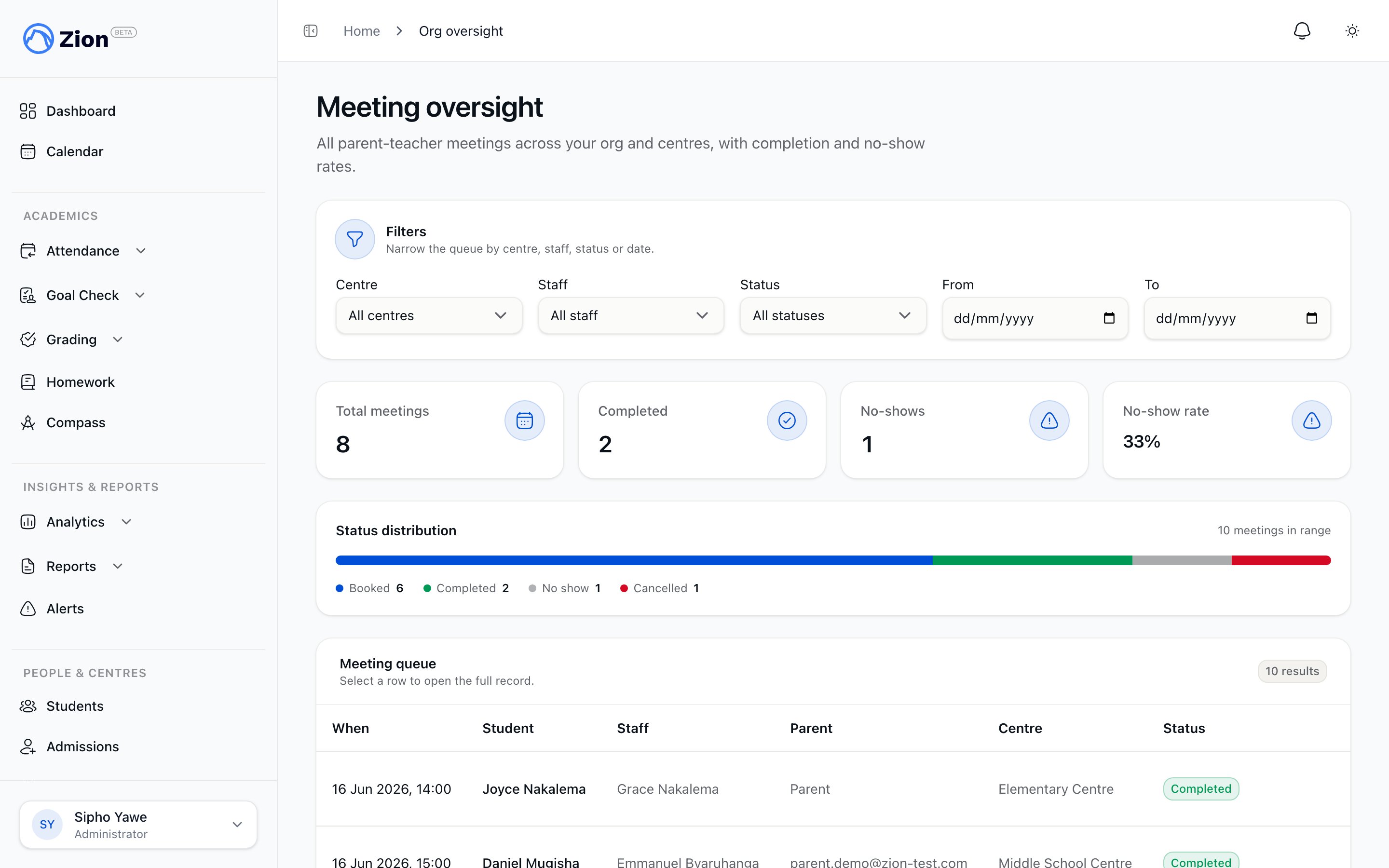
Administrators review every meeting across the org from a single view, filtered by centre, staff member, status, and date range. The view reports total firm meetings, completed count, no-show count, and no-show rate. Pending and expired requests are excluded so they don’t inflate the totals.Availability
How staff publish bookable slots, and how administrators publish on their behalf.
Booking and requests
The parent booking flow and the staff-initiated request or hard-book flow.
Managing and documenting
Cancelling, rescheduling, reassigning, notes, summaries, and marking outcomes.
Meetings and communication
A parent-focused walkthrough of booking and responding to meeting requests.