

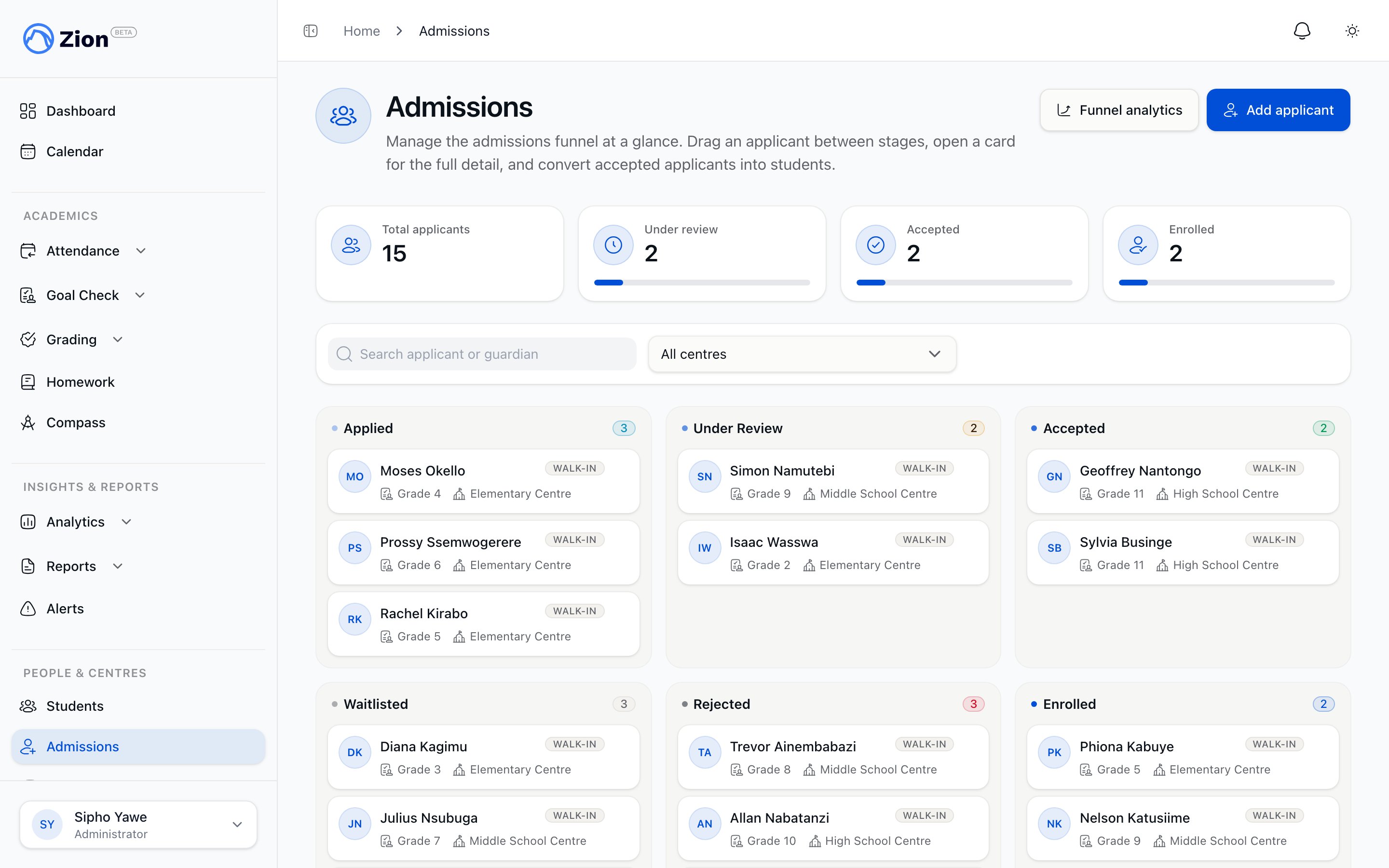
The admissions kanban board with applicants across six pipeline stages
Admissions is limited to administrators. Supervisors, monitors, parents, and students do not have access to this feature.
The pipeline
Every application moves through fixed stages, always in this order:
Waitlisted and Rejected are terminal off-ramps. Enrolled is reached only through the one-click convert action described in Managing applications, never by dragging a card into that column on the board.
Two ways applications enter the pipeline
- Public application form
- Staff manual entry (walk-in)
A prospective family fills out the form at your school’s own application web address, without needing an account. They provide applicant details (name required, date of birth and desired grade or centre optional) and guardian details (name and email required, phone optional), and can attach up to 10 documents. The application enters the pipeline at Applied with its source recorded as online.
Sharing the public application form
Each school has its own application web address, unique to that school and set up when your account was created. It looks like a normal web address, with your app’s domain followed by “apply” and a short name for your school. Share it on your website, in enrollment emails, or on printed materials so families can apply without contacting the office first.1
Find your school's application address
If you already have your school’s application address, you can share it right away. If you are not sure what it is, contact Zion support and they will confirm it for you.
2
Share it
Post the address wherever prospective families will see it. No login is required to submit the form.
3
Applicant confirmation
After submitting, the family sees an in-form thank-you message with no personal data echoed back, followed by a matching confirmation page.
Where to find it
Administrators reach the admissions board from the sidebar, under People & Centres, then Admissions. A link to funnel analytics is available from the board’s header.Subscription requirement
Viewing the board and opening an applicant’s detail drawer does not require an active subscription. Writing to admissions (adding an applicant, moving a stage, uploading a document, converting to student) and viewing funnel analytics both require an active subscription. Without one, these actions are blocked.Managing applications
Work the kanban board, review applicants, and convert accepted applications to students.
Funnel analytics
See stage counts and conversion rates across the admissions pipeline.
Students overview
See what happens to a student record created by admissions conversion.
Roles and permissions
Confirm which roles can access which features.