

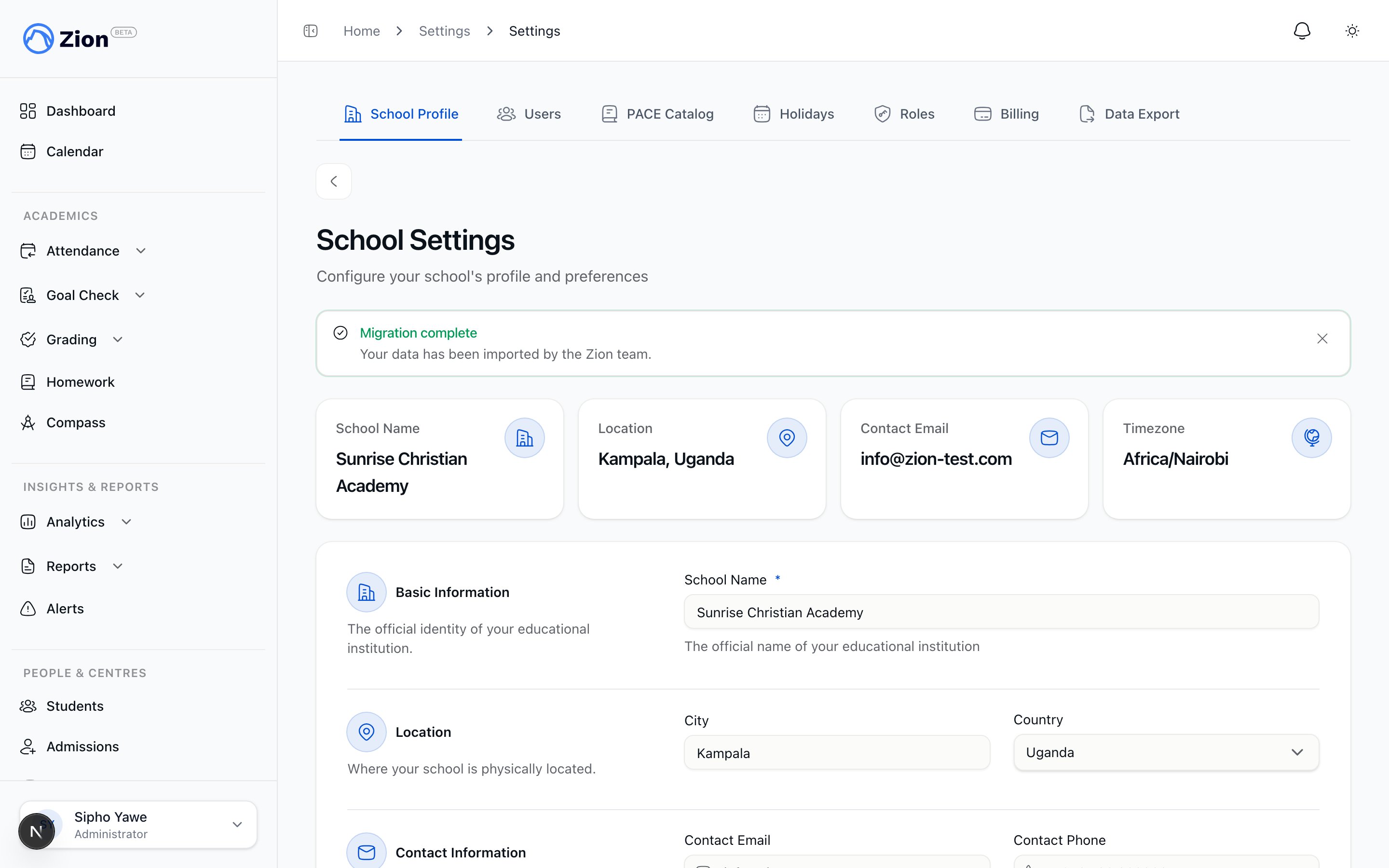
The school settings page showing the school profile fields and operational toggles.
Who can access this page
Only the administrator role can open School Settings. Supervisors, monitors, teaching staff, parents, and students who navigate here are redirected to the dashboard.If you have not completed the initial setup wizard yet, some of these same fields (school name, city, country, timezone, language) were first entered there. School Settings is where you come back to change them afterward.
School profile fields
1
Open School Settings
Sign in as an administrator and go to Settings, then the School Profile tab.
2
Update the profile fields
Edit school name, city, country, contact email, contact phone, timezone, and language as needed.
3
Upload your school logo
Add your school’s own logo. See the section below for details.
4
Adjust the two toggles
Set Auto-advance PACEs on completion and Require goal approval in the routine to match how your school operates. See the sections below.
5
Save
Saving updates the school profile immediately. If the “school_profile” step on your getting-started checklist was still open, saving here also ticks it off.
Your school logo
You can upload your own logo, which replaces the Zion mark across your school’s account, wherever your school’s branding appears.1
Open the School Logo section
On School Settings, find the School Logo section.
2
Upload a file
Choose a PNG or JPEG file up to 2 MB. It replaces the default Zion mark for everyone at your school.
3
Replace or remove it
Upload again at any time to replace it, or remove it to fall back to the default Zion mark.
Auto-advance PACEs on completion
This toggle controls what happens when a student finishes a PACE in a subject.
Turn this on if your school wants PACE sequencing to move forward without a manual confirmation each time. Leave it off if you want a monitor or supervisor to review and confirm the next assignment before it starts.
Require goal approval in the routine
This toggle controls how goals entered during Morning Routine are treated.
Turning this on adds a sign-off step to goal entry, useful where a school wants separation of duties or an audit trail between what a student proposes and what a supervisor approves. Turning it off means goals are usable as soon as they are entered.
Alert and weekly report settings
Configure alert thresholds and the automated weekly Goal Check report.
The daily routine
See how Morning Routine works and where the approval step appears when it is required.
PACE assignments
Understand how PACEs are assigned to students, with and without auto-advance.
Roles and permissions
See which roles can edit school settings and other admin-only capabilities.