

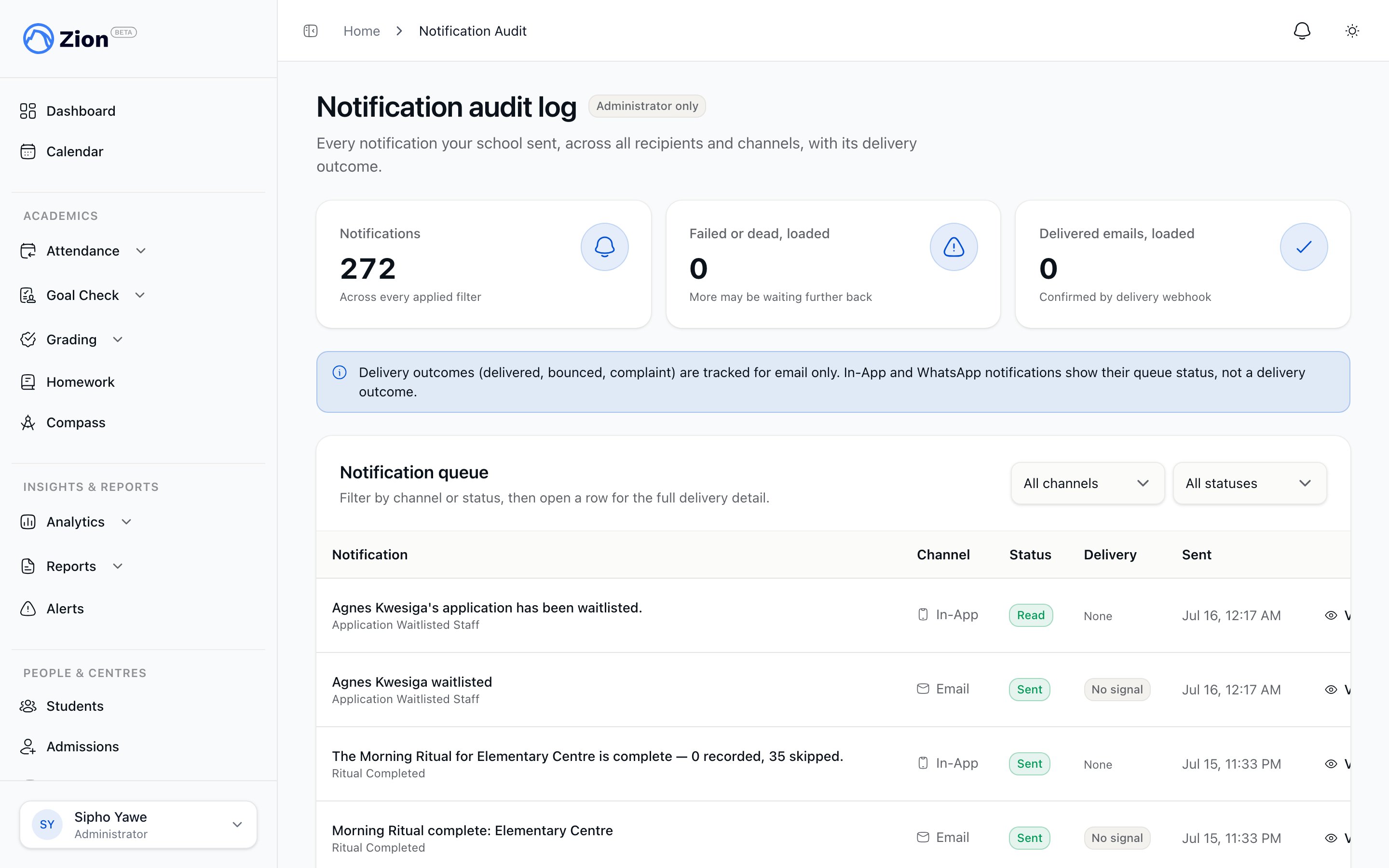
The notification audit log showing sent notifications and their outcomes
Email suppression
Suppression is automatic. When an email address hard-bounces or a recipient marks a message as spam, Zion stops sending to that address without any action from you.
While an address is suppressed, Zion continues to deliver the same notifications in-app, but no further emails go to that address.
Reviewing suppressed addresses
1
Open the suppression list
Go to Settings, then the Email Deliverability tab.
2
Filter by reason
Filter the list by bounce, complaint, or manual to narrow down what you are looking at.
3
Confirm the address is fixable
Check with the parent, student, or staff member that the address is correct and can now receive mail, for example a typo has been corrected or a mailbox issue has been resolved.
4
Unsuppress
Click Unsuppress on the address and confirm in the dialog. Emailing to that address resumes immediately.
Notification audit log
The audit log, reached from Settings, Notification Audit, is a school-wide table of every notification Zion has sent, regardless of which feature triggered it (homework, attendance, meetings, grading, billing, and others all write to the same log). Each row shows:Reading delivery status
Filter the log by channel and by status to isolate a problem, for example filtering to email and failed to see which sends did not go through.
Using the audit log with suppressions
1
Spot a delivery problem
In the audit log, filter to channel Email and status Failed or Dead to find notifications that did not reach a recipient.
2
Check the address
Open Settings, then the Email Deliverability tab, and see whether the recipient’s address is suppressed for a bounce or complaint.
3
Fix or unsuppress
Correct the address with the recipient if it was wrong, or unsuppress it if it is confirmed valid.
Notifications
How the notification bell and personal notification history work for every role.
Broadcasts
Compose and send announcements with a per-recipient delivery ledger.
Roles and permissions
See which capabilities each of Zion’s five roles can reach.
Corrections and notifications audit
The school’s general audit log for corrections and other administrative actions.