

The Permanent Record deliberately excludes credits, GPA, rank, and honor roll. Zion does not calculate or display any of these on this page.
What the record shows
Open a student’s profile and go to Permanent Record. A year selector (newest first) switches between academic years. Each year shows one table with these columns: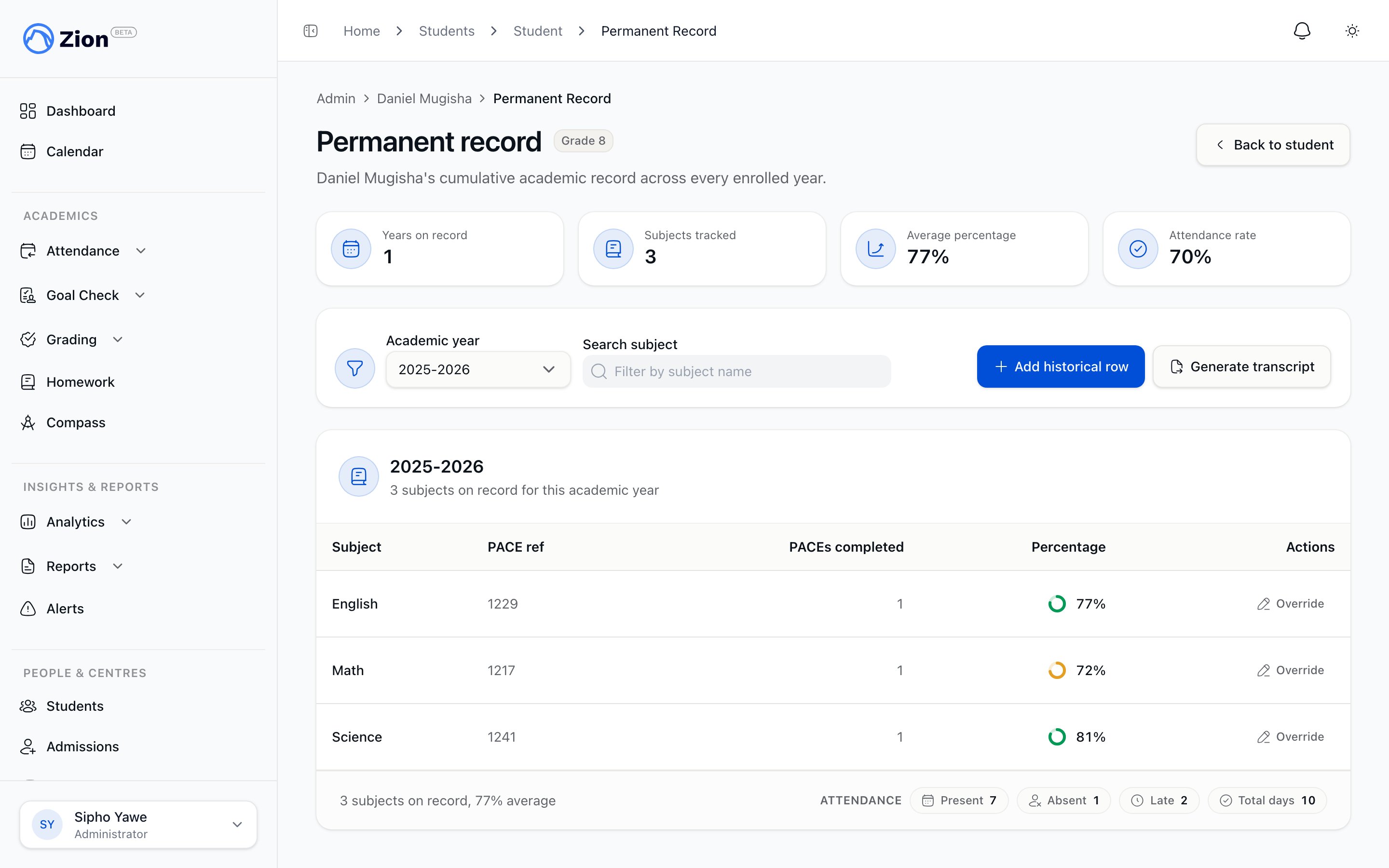
A student's permanent record showing subject percentages and PACEs completed by academic year.
Below the subject table, a single attendance summary for the year shows present, absent, late, and total counts. Attendance is shown once per year, not broken out per subject.
PACEs completed counts are drawn from all-time student PACE data, since that record is not scoped to a school term. Percentages and attendance in the record reflect what has been calculated or entered for that academic year.
What it deliberately excludes
Credits, GPA, rank, and honor roll never appear anywhere on this page, for any role. If your school tracks these outside Zion, keep doing so in that separate system.Computed rows, manual rows, and overrides
Most rows are computed automatically from PACE and attendance data already in Zion. Administrators can also add or correct rows for cases the computed data can’t cover:- Add a historical row
- Override a computed cell
Use this for a transfer student’s prior-year record or any year before the school used Zion. Click “Add historical row” and fill in:
- Academic year, written as a year range (for example, 2025-2026)
- Subject
- PACE ref (optional)
- Percentage, 0 to 100
- Attendance: present, absent, late
- Note (optional)
Generating an official transcript
1
Open the student's Permanent Record
Navigate to the student’s profile, then Permanent Record.
2
Click Generate transcript
Zion starts building the transcript in the background. Only one transcript can be generated per student at a time, so a second request is blocked while one is already in progress.
3
Wait for it to finish
The button becomes “Download transcript” once the PDF is ready.
4
Download the PDF
Click “Download transcript” to get the file.
Who can do what
What parents see
Parents view their own linked children’s Permanent Record through a separate parent-scoped view. It shows the same per-year subject data and attendance summary, with no credits, GPA, rank, or honor roll, and no controls to add rows, override cells, or generate a transcript. A student ID outside the parent’s own children resolves to “Record not found.”Report Cards Overview
How term-based report cards are compiled and what sections they contain.
Generating and Distributing Report Cards
Bulk-generate, preview, and send report cards to parents.
Report Card Templates
Customize the logo and sections used on generated report cards.
Your Child's Progress
Where parents find their child’s report cards and progress.