

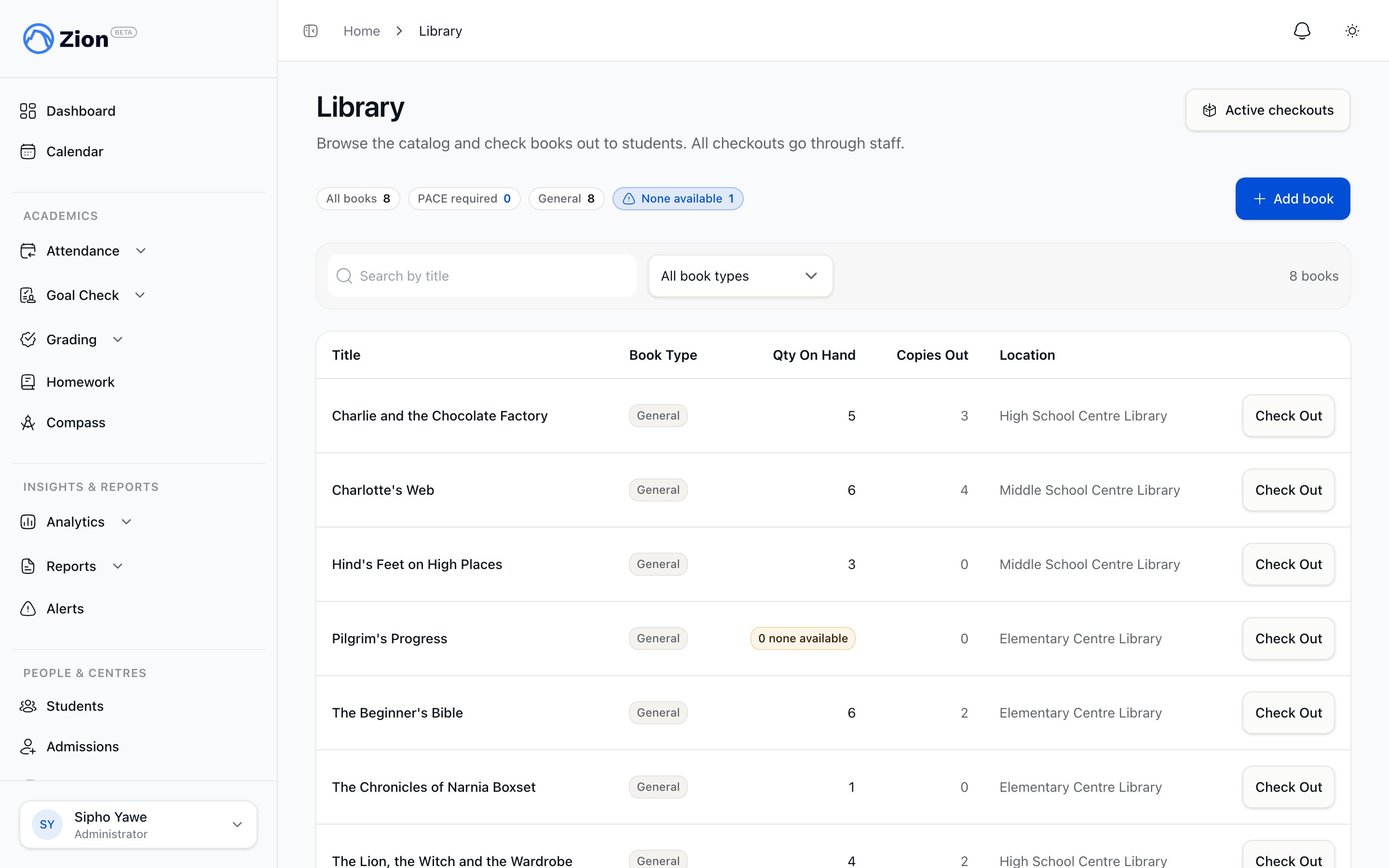
The library catalog listing books with type, quantity, and location
Two book types
- PACE Required
- General
A custody-only loan. There is no due date, so the book can never go overdue and it cannot be marked lost. Staff hand it to a student and record who has it, without a return deadline attached.
Every checkout goes through a staff member. Students and parents cannot check a book out themselves.
What the desk covers
- Catalog: a list of every library book for the school, showing title, book type, quantity on hand, copies currently out, and location. You can search by title and filter by book type.
- Adding and maintaining stock: an administrator can add a book one at a time, or bring in a whole list at once from a spreadsheet. A book’s details can be edited after it is added, and its stock count corrected later. See Checkout and return for the step-by-step flow.
- Active checkouts: every book currently out, sorted with the soonest due date first. Books with no due date (PACE Required) sort to the end. Status on each row is calculated live from the due date, so a book shows as lost, overdue, or checked out without waiting for an overnight job.
- Checkout and return actions: checking a book out, returning it, marking it lost or found, undoing a return, cancelling a mistaken checkout, and editing a due date. See Checkout and return for the step-by-step flow.
- Overdue and lost handling: how overdue status is determined, the automatic check that flags late General loans, and the lost/found flow. See Overdue and lost books.
Who can access what
Library access is based on what each staff member has been granted, not a fixed list of roles.
Checkout and Manage each include everything the View capability gives. A staff member needs at least View to see the catalog and the active-checkouts list, and at least Checkout to operate the desk.
Whenever a book is added in bulk, edited, or has its stock adjusted, the school’s other administrators receive an alert, so everyone stays aware of catalog changes.
Read-only views elsewhere
- A student’s profile page includes a Library section showing that student’s checkouts, split into currently out and past loans, with a status badge. This view has no actions.
- The parent portal includes a Library page grouping each linked child’s current and past checkouts with due dates and status badges. Parents cannot check out, return, or otherwise act on a book from this view.
Checkout and return
Step-by-step for checking a book out, returning it, and correcting mistakes.
Overdue and lost books
How overdue status is calculated and how the lost/found flow works.
Inventory overview
The shared inventory system that library items are built on.
Roles and permissions
How the View, Checkout, and Manage capabilities map to each role.