

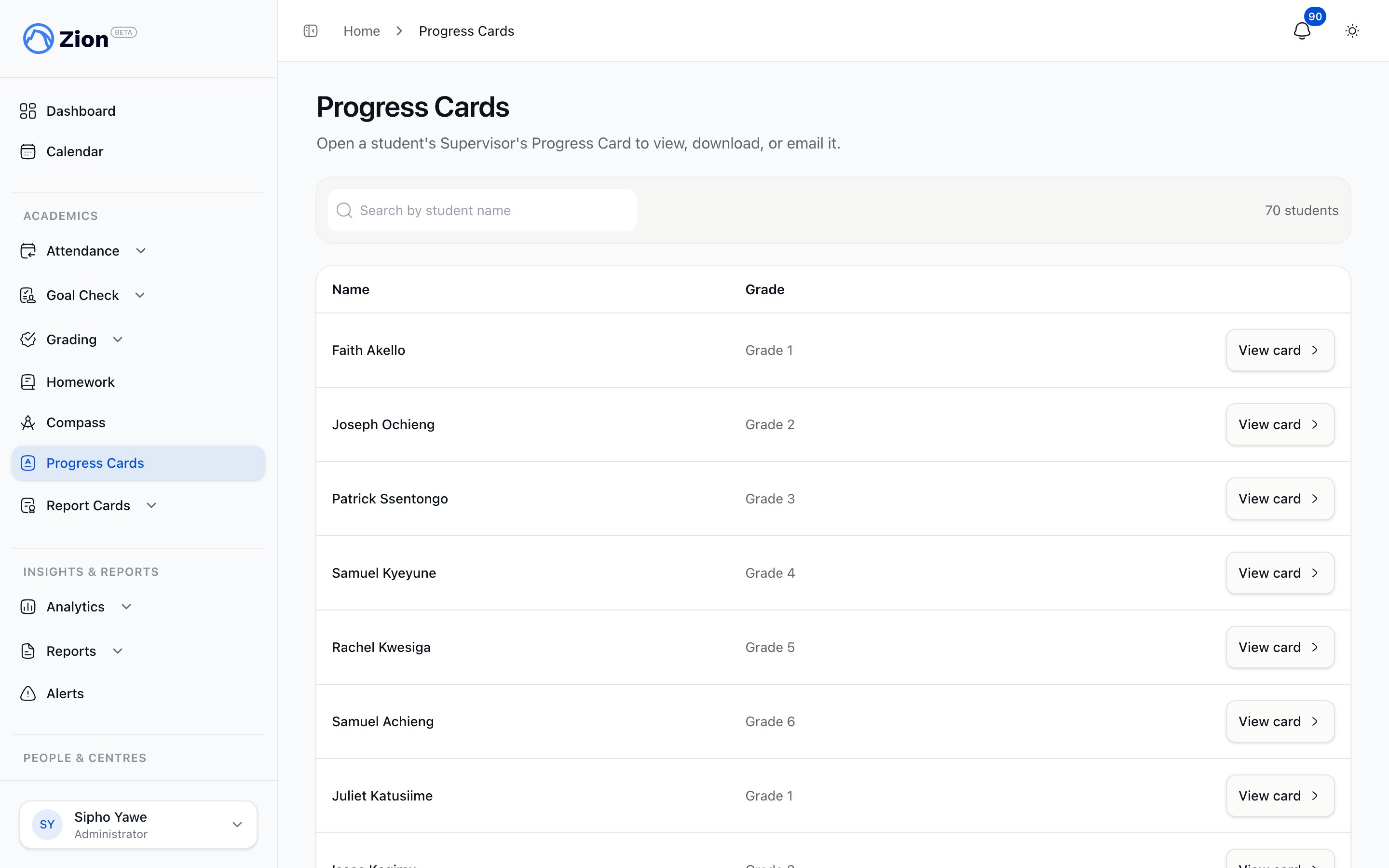
The Progress Cards page, listing every student you have access to with a View card link.
Who can see it
Progress Cards are a staff tool. Parents and students cannot open them, though a parent can be sent one by email.
Finding a student’s card
Progress Cards has its own entry in the sidebar, under Academics, so you no longer need to open a student’s record first to reach it.1
Open Progress Cards
In the sidebar, under Academics, select Progress Cards. This lists every active student you have access to.
2
Search or browse
Search by name, or page through the list, to find the student you want.
3
View card
Select View card to open that student’s Progress Card.
What the card shows
The card groups a student’s assigned PACEs by subject. Each subject shows three rows:
Every PACE the student has been assigned appears, whether it is finished or still in progress. Only completed PACEs carry a score and a term colour.
Colour-coding by term
A completed PACE’s three rows are shaded with the colour of the term it was finished in. A legend across the top of the card, labelled “Completed In,” shows which colour maps to which term. This makes it easy to see at a glance how a student’s workload was spread across the school year, not only how much they have finished in total. A PACE still in progress is never shaded, since it has not finished in any term yet.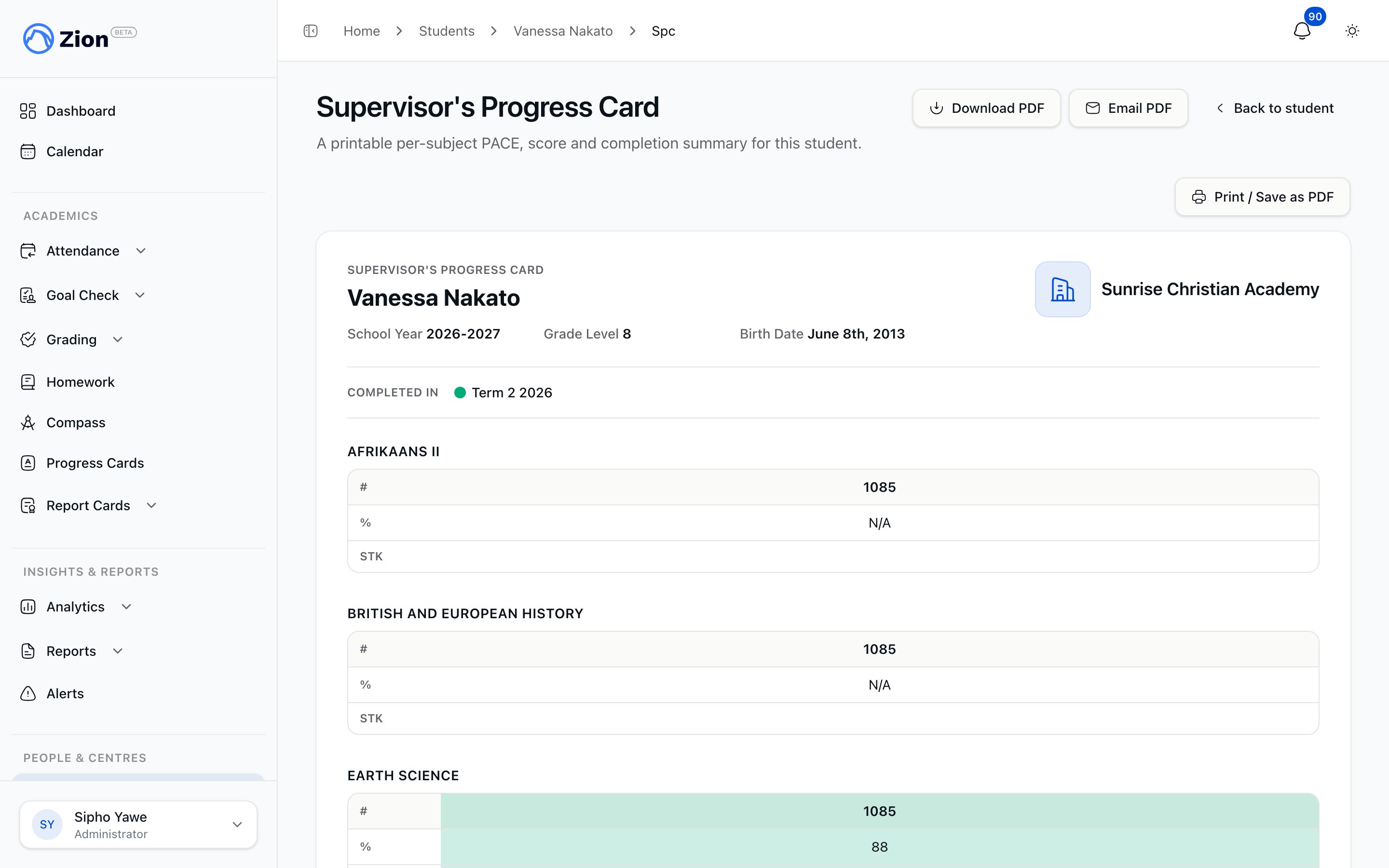
A student's progress card, with the term legend across the top and a completed PACE shaded in that term's colour.
Downloading and emailing the card
1
Download
From the student’s Progress Card, select Download PDF to save a branded copy of the card as it appears on screen.
2
Email to a parent
Administrators and supervisors also see an Email PDF option. Enter up to 10 recipient email addresses and send. The card is attached to the email directly, with no separate publishing step to approve first.
A monitor can view and download a Progress Card, but only an administrator or supervisor can email one to a parent.
How this differs from report cards
A Progress Card is a running, year-long snapshot you can open at any time. A report card is a formal, per-term document that also includes attendance and character notes, and goes through its own generation and distribution step. See Report cards overview for that separate feature.Report cards overview
The formal, per-term document with grades, attendance, and character notes.
Students overview
Manage the student roster a Progress Card is generated from.
PACE assignments
How PACEs are assigned to a student in the first place.
Grading overview
How a score is finalized before it appears on the card.